AI Coloring Page and Color Generation
- AI can transform text prompts or photos into clean, printable coloring pages.
- Tools like Adobe Firefly and Colorify AI offer rapid generation (as fast as 3 seconds) with various styles.
- Converting photos to coloring pages typically requires images of at least 512×512 pixels.
- AI “magic coloring” automates color filling based on predefined themes or palettes.
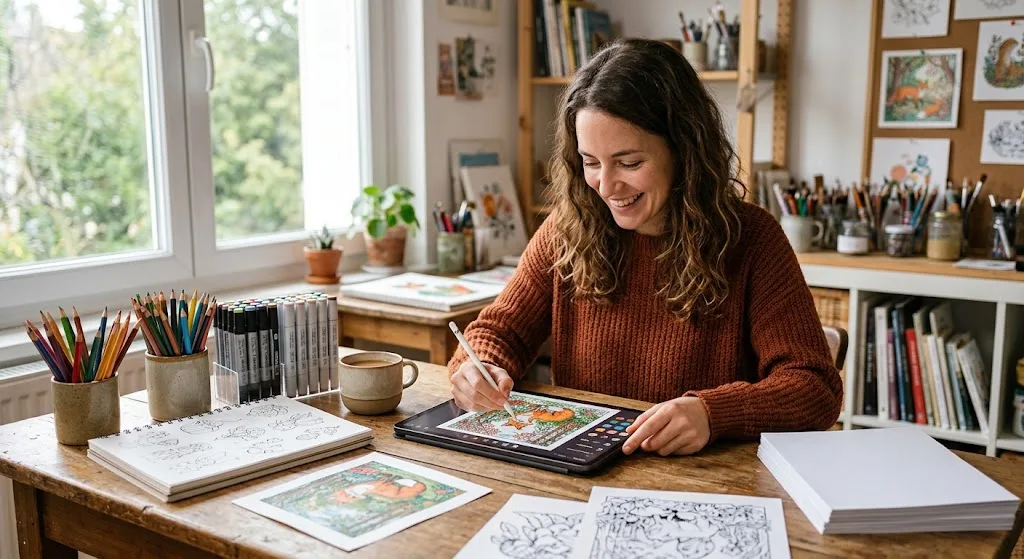
Using AI for coloring page and color generation is revolutionizing the creation of fun and educational materials. In seconds, simple text or a photograph is transformed into clean line art, eliminating the need for advanced artistic skills to design custom coloring books.
This technology relies on diffusion models capable of isolating contours and removing shading to provide an optimal black-and-white canvas. Whether creating activities for children, materials for ESL (English as a Second Language) classes, or relaxation projects for adults, artificial intelligence is democratizing access to simplified vector illustration.
Using AI to Turn Your Ideas into Coloring Pages
The shift toward AI-assisted digital drawing allows you to move from an abstract idea to a physical, printable medium with remarkable precision. The workflow relies on the tool’s ability to interpret complex concepts and translate them into closed lines—an essential requirement for a successful coloring page. This approach allows creators to generate infinite themes, from futuristic architecture to exotic wildlife, while ensuring the final result remains accessible for manual coloring.
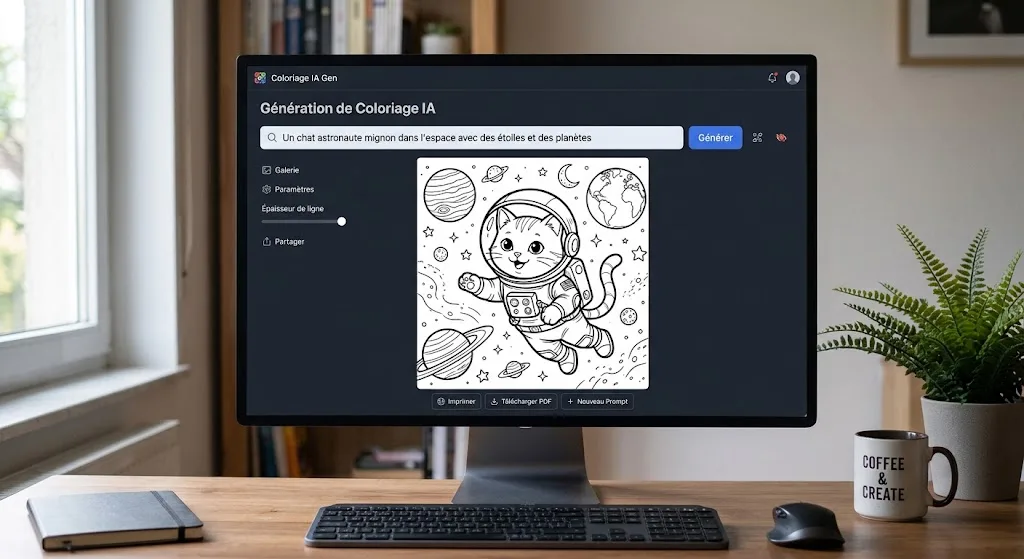
The Technical Side of Line Art Generation
Technically, artificial intelligence is defined as the set of computer systems capable of performing tasks typically associated with human intelligence, such as learning, reasoning, problem-solving, perception, or decision-making. For coloring page generation, AI utilizes edge-detection filters and shape-simplification processes.
The goal is to transform an image rich in detail and nuance into a binary schematic. The system analyzes contrast to identify edge transitions and traces clean black lines while removing gray gradients. This rigorous contrast management is essential for easy printing and ensures the end user has clearly defined white spaces, avoiding ambiguous areas that would make coloring tedious.
Optimizing Prompts for Clean Outlines
To achieve professional results, the way you write your prompt is decisive. Using imaginative prompts allows for rich detail while maintaining the structure of the lines. For example, asking for a “galactic roller skater” or a “streetwear angel girl” allows the AI to merge modern and fantasy concepts into a detailed outline.
To avoid unwanted grays and shading, it is recommended to include keywords such as “line art,” “coloring page,” “black and white,” or “white background.” Iteration is then key: if the lines are too thin or fill areas appear, adjusting the descriptive terms will refine the line precision.
- Specify “thick black outlines”
- Add “pure white background”
- Exclude “shadows and gradients”
- Mention “coloring book style”
- Specify “minimalist line drawing”
Free AI Coloring Generators: The Best Options
There are currently several free AI coloring generator options for those starting without an investment. These tools vary in their approach: some require complex prompts, while others simplify the experience. AIColoringPages.net stands out for its unique keyword-based approach, allowing users to produce coloring pages quickly without tedious configuration.
The main challenge for free-version users is often the balance between cost and export resolution. While some services limit image size, others offer instant high-resolution downloads (PNG or PDF) to ensure the lines aren’t pixelated when printed on A4 paper.
Converting Your Photos into Coloring Pages
Beyond text-to-image generation, converting existing photos into coloring pages adds a personalized and emotional touch. This process transforms a real-world image, rich in color and texture, into a schematic drawing.
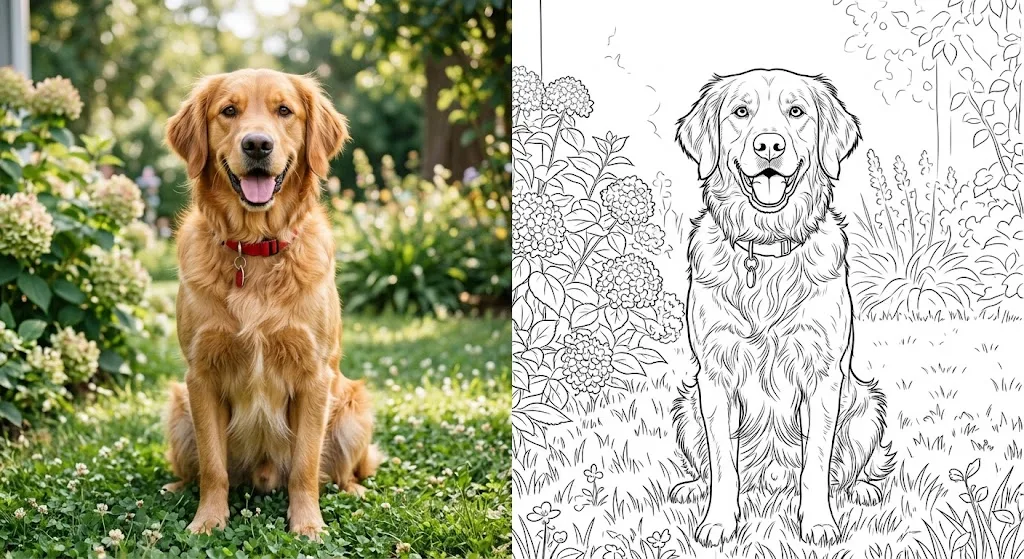
This is a powerful tool for creating tangible memories, such as turning a pet’s photo into a children’s activity or designing educational exercises based on everyday objects. The major difference lies in the method: while automatic background removal simply follows the edges, AI redrawing reinterprets the scene to create a coherent, artistic line.
How to Turn a Photo into a Coloring Page for Free
Transforming a photo into a coloring page for free is now possible thanks to specialized tools. The mechanism involves analyzing selfies or animal photos to extract the underlying structure of the image. Solutions like GenColor allow for instant conversion, turning a complex snapshot into a simplified sketch.
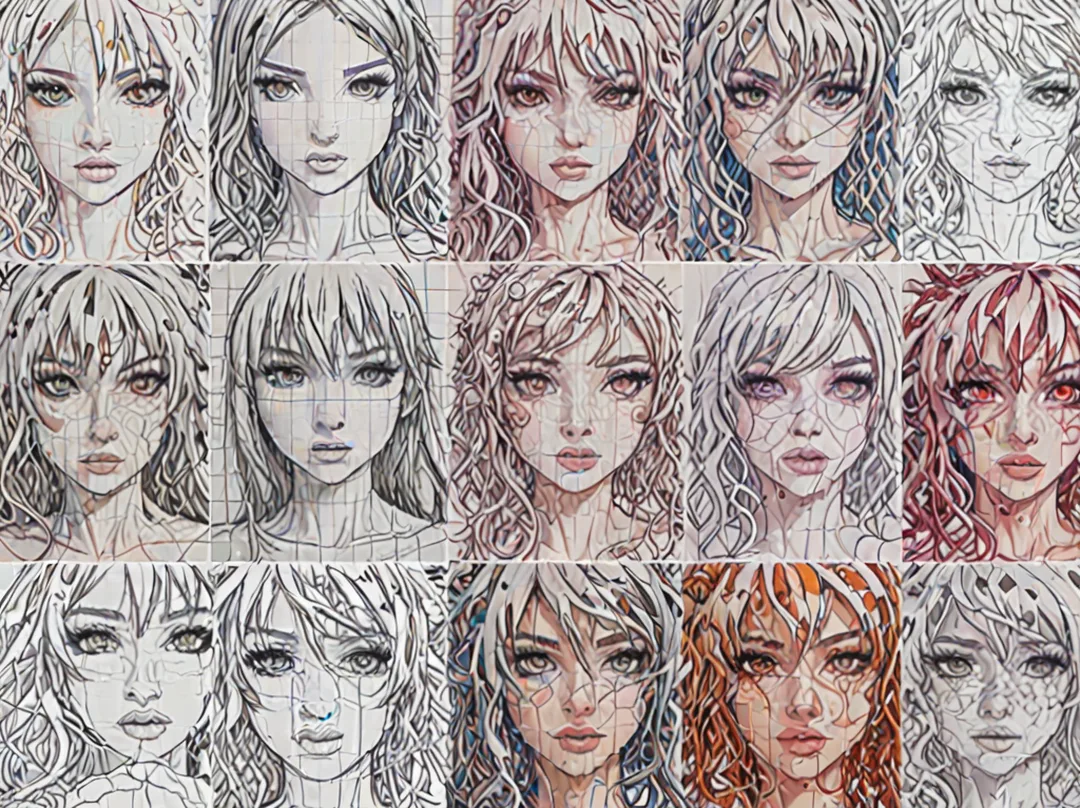
For those seeking a more stylized look, using Image Enhancers can create unique line textures, transforming a simple photo into a surrealist or high-contrast drawing. This moves the process beyond a simple filter toward a true piece of art ready to be colored.
| Tool | Key Feature | Export Format |
|---|---|---|
| Coloringbook AI | Photo-to-line conversion | PNG / PDF |
| Colorway AI | Stylized artistic sketches | High resolution |
| AIColoringPages.net | Keyword-to-image | Instant download |
AI Magic Coloring Generators and Auto-Fill
The concept of AI magic coloring takes things a step further by integrating auto-fill. Here, the AI doesn’t just create the line; it assigns colors to specific zones, guiding the user or automating the final render. Artificial intelligence can suggest shading and tone palettes to add depth to the drawing.
Some tools, such as iColoring, even allow you to transform a blank page into a colored image simply by describing a theme. This ability to manipulate colors via text allows for rapid experimentation with different moods, moving from a cool color palette for a winter landscape to warm tones for a sunset.
Technical Constraints and Import Criteria
Importing images for AI processing comes with certain technical constraints to ensure an optimal result. The quality of the final line depends directly on the quality of the source file. For example, submitted images generally need minimum dimensions of 512 x 512 pixels to be processed correctly.
Furthermore, to maintain service fluidity and avoid server crashes, the maximum allowed file size is often set to 100 MB. Finally, access to these tools is governed by strict terms of use, notably requiring users to confirm they are at least 18 years old to use the generator.
- Minimum dimensions: 512 x 512 pixels
- Maximum file size: 100 MB
- Minimum age required: 18 years
- Standard image formats (JPG, PNG)
Choosing the Right Free AI Coloring Tool
Choosing a free AI tool for coloring page and color generation depends primarily on the user profile. A parent will look for simplicity and speed to keep their children occupied, while a teacher will prioritize theme diversity and bulk printing options.
An artist, on the other hand, will be more interested in line precision and contrast adjustment options. Accessibility and execution speed are key criteria, as is the presence of a pre-existing resource library that allows for quick ideas without writing a complex prompt.
Available Artistic Styles and Color Palettes
AI offers an impressive diversity of artistic styles, allowing you to move beyond simple black-and-white lines. You can generate drawings in anime, watercolor, oil painting, or even colored pencil styles. To guide the user, some tools offer over 100 predefined and customizable colors, making it easy to balance color and negative space.
Speed is a major asset: some generators transform text into a high-quality page in just 3 seconds, allowing users to test multiple styles and palettes in record time. You can easily switch between a bright orange to energize a scene and a neutral beige to soften the mood.
- Anime Style
- Watercolor
- Oil Painting
- Colored Pencil
- Surrealist Drawing
Educational and Creative Use for Teens and Children
Integrating these tools into an educational setting opens creative horizons for teens and children. For teenagers, adapting themes to fashion, technology, or fantasy helps maintain engagement by tapping into their interests. Access to predefined illustration galleries makes starting the activity frictionless.
In a school context, particularly for ESL (English as a Second Language) classes, access to over 1,000 free printable coloring pages allows teachers to link vocabulary learning to a stimulating manual activity. By playing with colors—such as pairing blue and green to evoke nature or using complementary hues to create strong contrast—students develop artistic sensitivity while memorizing linguistic concepts.
Where can I find a personalized magic coloring generator?
Tools like Colorify AI or Coloringbook AI allow you to create custom pages using prompts or photos.
Which AI is best for generating drawings?
Adobe Firefly and AIColoringPages.net are highly effective for generating clean, printable line art.
How can I turn my photo into a coloring page for free?
By using tools like GenColor or Adobe Firefly, simply import an image of at least 512×512 px to convert it.
What is the best free coloring app?
Colorify AI is recommended for its speed (3s) and its vast library of over 1,000 free pages.
Can I print AI-generated coloring pages?
Yes, most generators offer exports in high-resolution PNG or PDF formats optimized for printing.
Sources
- Wikipedia – Artificial Intelligence – en.wikipedia.org
- Adobe Firefly – Coloring Page Generator
- Colorify AI – Home
- StoryLab AI – Best AI Tools to Create Unique Coloring Pages for Teens
See also
- Optimize 360 review, pricing, and results
- ChatGPT, SEO, and Business Alternatives Guide
- SEO and Artificial Intelligence: What’s Changing
- How to Optimize Your Site for AI Search Engines


AI Video Generation: 2026 Guide & Best Tools