

Website Creation: 2026 Complete Guide (Steps, Costs, AI, Hosting)
- A website is built in 7 key stages: domain, hosting, CMS, wireframing, content, testing, and launch.
- Budgets range from $100/year (DIY) to over $20,000 (complex projects) depending on the provider and feature set.
- AI generators (Wix, Webador, CodeDesign, Figma Make) now allow you to launch a site in minutes.
- Shared hosting ($5–$25/month) is sufficient for most SMBs; domain names typically cost $10–$40/year.
- Legal notices and compliance pages are mandatory to avoid heavy regulatory fines (especially under GDPR/consumer laws).
Building a website remains the foundational step for any organization wanting to establish an online presence, capture leads, and convert traffic into revenue. In 2026, options range from AI generators that deliver a mockup in sixty seconds to full-service agencies that build bespoke portals over several months.
This guide covers the entire pipeline: why you need a site, the seven technical steps, realistic budgets by model (DIY, freelance, agency), the rise of AI creators, and how to choose your hosting and domain.
Why Create a Website for Your Business?
A website acts as a permanent digital storefront, accessible from any device, 24/7. For a business, it is the primary signal of credibility sent to prospects: 81% of consumers perform online research before visiting a store or making a purchase. Beyond brand image, a site becomes a direct lead generation channel—via contact forms, whitepaper downloads, and appointment scheduling—and, for merchants, an autonomous point of sale.

From a technical standpoint, it is the cornerstone of SEO (Search Engine Optimization): each page optimized for a specific search intent attracts qualified traffic without recurring cost-per-click fees. Locally, a Google Business Profile linked to a well-structured website improves visibility for geo-targeted queries. Finally, law requires the display of legal notices (publisher, host, data privacy policies); failure to comply can expose a company to significant fines depending on the jurisdiction (e.g., GDPR in Europe).
- Showcase business activities and core values.
- Generate quote requests or direct sales.
- Build customer loyalty via a blog or newsletter.
- Ensure legal compliance regarding data and transparency.
The 7 Steps to Creating a Website
Going live follows a logical workflow shared by almost every project, regardless of scale. Step one: reserve a relevant, short, and memorable domain name available in your target extension (.com for international, .io or .ai for tech). Step two: choose a hosting provider scaled to your expected traffic—shared hosting for a brochure site, or a VPS/managed cloud for high-volume stores.
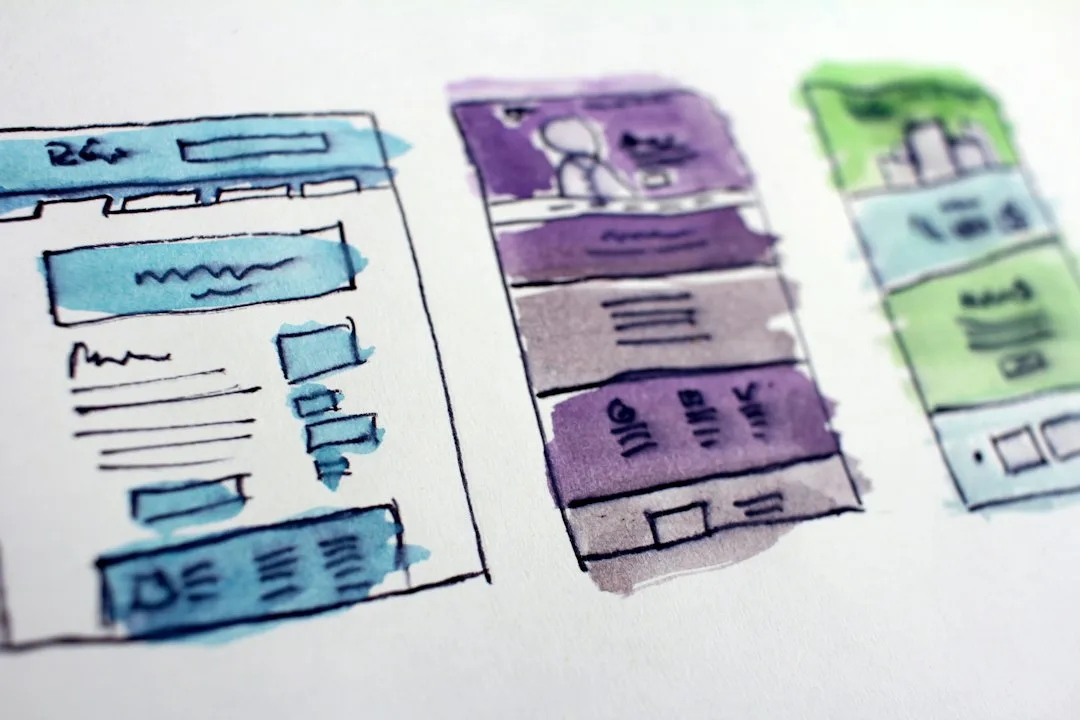
Step three: select the right Content Management System (CMS) or builder—WordPress for flexibility and SEO, Wix or Webador for simplicity, Webflow for no-code design, or Shopify for pure e-commerce. Step four: design wireframes and validate the user experience (UX) before writing a single line of code.
Step five: write and optimize content—copy, images, meta tags, schema.org—aligned with your keyword strategy. Step six: test browser compatibility, mobile responsiveness, forms, and the payment funnel if applicable. Step seven: deploy to production, configure analytics tracking (GA4, Matomo), and set up uptime alerts.
- Register a domain name.
- Choose a web host.
- Select a CMS or website builder.
- Create site wireframes/mockups.
- Write SEO-optimized content.
- Perform technical and functional testing.
- Publish the site and activate tracking.
Website Creation Costs: What to Budget for 2026?
Your 2026 budget depends on two main variables: the execution method (DIY, freelance, agency) and the type of site (brochure, e-commerce, portal). For DIY, all-in-one platforms (Wix, Squarespace, Canva) charge between $100 and $350 per year, excluding the domain name.
A freelancer typically charges between $75 and $220 per hour; a simple brochure site thus ranges from $500 to $3,000. Agencies, with their higher overhead, usually start around $10,000 for a custom project. Beware of abnormally low quotes: a site offered for $100 often lacks strategy, security, or maintainability.
| Site Type | DIY ($/year) | Freelance ($) | Agency ($) |
|---|---|---|---|
| Brochure Site (5‑20 pages) | 100‑350 | 500‑3,000 | 10,000‑20,000 |
| E-commerce (≤100 products) | 300‑850 + % sales | 3,000‑10,000 | 15,000‑30,000 |
| Complex Site / Portal | — | 5,000‑20,000 | 20,000‑80,000 |
Brochure Sites: Budget and Options
A standard brochure site consists of 5 to 20 static pages—home, services, about, contact, legal—and includes a contact form. In a DIY scenario, the annual cost stays between $100 and $350. When handled by a freelancer, the project ranges from $500 to $3,000 depending on the level of graphic customization and the number of revisions.
In an agency setting, the range expands to $10,000–$20,000, covering art direction, UX research, modular development, and admin training. This type of site doesn’t handle transactions; its ROI is measured in qualified leads and brand awareness.
E-commerce Sites: Recurring Costs
E-commerce adds structural recurring costs. Platforms (Shopify, Wix eCommerce, hosted PrestaShop) charge $30 to $80 per month plus a commission on each sale, often around 2%. Customizing a theme typically adds another $200.
Technical maintenance—security updates, backups, and payment funnel monitoring—costs $100–$300 per year. Add to this the payment gateway fees (Stripe, PayPal: 1.4–2.9% + $0.30 per transaction) and, if necessary, subscriptions for advanced modules (multi-warehouse inventory, automated invoicing, loyalty programs).
Complex Sites or Portals: High Investment
A complex site or portal integrates custom features: member areas with roles and permissions, native multi-language support, APIs for ERP or CRM interoperability, editorial validation workflows, and faceted search. The minimum freelance budget is around $5,000; agency entry-level pricing starts at $20,000 and can exceed $100,000 for high-volume industry platforms.
These projects involve a discovery phase, a technical requirements document, development sprints, integration testing, and staged deployment (staging, pre-prod, prod). Evolutive maintenance then represents 15–20% of the initial budget per year.
AI Website Creation: Automatic Generators
AI-powered website generators are game-changers in 2026. By describing their business in natural language, users receive a complete structure—pages, navigation, copy, images, forms—in under a minute, ready to be refined via drag-and-drop. According to CodeDesign, this can reduce initial design costs by up to 90%.
Four players dominate the consumer and professional market: Wix AI for all-in-one simplicity, Webador for small business owners, CodeDesign for startups wanting to iterate fast, and Figma Make for designers extending their prototyping workflow into publication.
- Wix AI – conversational, 900+ templates, integrated SEO.
- Webador – drag-and-drop editor, easy setup for local businesses.
- CodeDesign.ai – chat-based activity description, site in 60s.
- Figma Make – natural language prompts, direct publication.
Key AI Market Players in 2026
Wix AI relies on a conversational interface: the user answers a few questions about their industry, visual style, and desired features, and the AI generates a unique, responsive site, pre-optimized for SEO and hosted on Wix infrastructure. Webador uses a similar logic but with aggressive pricing and simplified support, appealing to local artisans and shopkeepers.
CodeDesign targets both technical and non-technical founders who want to validate an MVP in hours, not weeks: hosting is included, code export is possible, and the editor allows adjusting every component without breaking the layout. Finally, Figma Make allows users to start from a Figma Design frame, describe it in natural language, add interactions, animations, and dynamic data, then publish to a Figma subdomain or custom domain—creating a fluid bridge between design and production for product teams.
Choosing the Right Host and Domain Name
Hosting and your domain name are the invisible but critical technical foundations. For most brochure sites, shared hosting ($5–$25/month) offers sufficient value: the server is shared, technical management is delegated, and performance covers a few thousand monthly visits. Once traffic exceeds this threshold, or when e-commerce requires constant response times, a VPS or managed cloud ($50–$8,000/month) becomes necessary for guaranteed resources, horizontal scaling, and security isolation.

Regarding the domain, a .com remains the global standard for international ambition. Before signing, verify three criteria: contractual uptime $\ge$ 99.9%, responsive 24/7 support, and server locations that comply with your regional data laws (e.g., EU servers for GDPR compliance).
- Technical performance (CPU, RAM, SSD, CDN).
- Responsive 24/7 customer support.
- Server location (EU/US for regulatory compliance).
- Transparent pricing without hidden fees.
Recommended Domain Extensions
The choice of extension sends a strong signal to visitors and search engines. The .com is the universal gold standard for SaaS, marketplaces, and exporting brands.
Niche extensions (.io, .tech, .ai, .dev) are adopted by tech startups to signal their belonging to the ecosystem; while less memorable for the general public, they work well in B2B. The .org maintains its legitimacy for associations, foundations, and NGOs. Geographic extensions (.uk, .ca, .eu) can strengthen local trust. Registering multiple extensions (.com + .net + .io) protects your brand against cybersquatting; the cumulative annual cost remains modest ($10–$40 per extension).
How much does it cost to create a website?
From $100/year (DIY) to over $80,000 (complex agency project), depending on the site type and provider.
What is the best platform for creating a website?
It depends on your needs: Wix for simplicity, WordPress for total control, Shopify for e-commerce, and Webflow for advanced design.
Where can I create a website for free?
Wix, Webador, Canva, and SiteW offer free plans (usually with a subdomain and limited features).
What do you call the person who creates a website?
Depending on the role: Web Designer (UI/UX), Front-end Developer, Back-end Developer, Web Project Manager, or “No-code Creator.”
What legal pages are mandatory on a website?
Typically: Publisher identity, hosting information, Privacy Policy (GDPR/CCPA), and Terms of Service. Failure to include these can lead to significant legal penalties.
How much does a domain name cost per year?
Between $10 and $40 depending on the extension (.com $\approx$ $12–$20, .ai $\approx$ $60+).
Sources
- Legalstart – How to create a website (steps, legal notices)
- France Num – Best practices and pitfalls for a website
- Wikipedia – Website (definition, history)
- Burguin Digital – Website Pricing 2026 (rate ranges)
See Also
- Automate your email management with AI
- The best use cases for AI automation
- Prompt caching: save up to 90% on tokens
- How to optimize your content with AI






Emotional Design & AI: Build Products Users Love